Welcome to the first step in your journey on our car listing platform. Setting up your account is crucial to fully enjoying the features we offer, such as listing your car, contacting sellers, and managing your profile. This guide will walk you through the process, from creating your account to managing security settings.
2. Creating your account
Step 1: Access the sign-up page
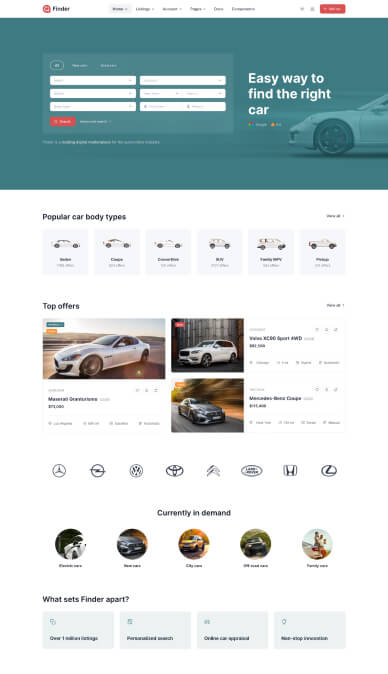
Begin by navigating to our website and clicking on the "Sign Up" button located at the top right corner of the homepage.
Step 2: Enter your details
You will be prompted to fill in basic information such as your name, email address, and a secure password. Ensure that your password is strong, combining letters, numbers, and special characters.
Step 3: Agree to the terms
Before proceeding, you must agree to our Terms of Service and Privacy Policy. Once you've read and agreed, check the box to continue.
Step 4: Complete the CAPTCHA
For security purposes, complete the CAPTCHA challenge to verify that you're not a robot.
Step 5: Click "Create Account"
After filling in all the necessary information, click on the "Create Account" button. You will receive a confirmation email shortly.
3. Verifying your email
Once you've signed up, check your email inbox for a verification email. If you don't see it, check your spam or junk folder. Inside the email, you'll find a link to verify your email address. Click on this link to confirm your registration. After clicking the verification link, you'll be redirected to our website, where you'll see a confirmation message indicating that your email has been successfully verified.
Log in to your account and navigate to the "Profile" section from your dashboard.
Step 2: Add personal information
Here, you can add or update your personal information, such as your full name, phone number, and profile picture.
Step 3: Link social accounts (Optional)
For convenience, you can link your social media accounts. This will make it easier to share your listings or log in quickly.
Step 4: Save your changes
After entering all your details, click "Save Changes" to update your profile.
5. Customizing notification preferences
In your account dashboard, find the "Notification Settings" section. You can customize how and when you receive notifications about inquiries, messages, and platform updates. Options include email, SMS, or push notifications. If there are certain notifications you'd rather not receive, simply toggle them off in this section. Make sure to save your preferences before exiting the page.
6. Managing account security
Regularly updating your password enhances account security. You can change your password by going to the "Security" section in your account settings.
For added security, we recommend enabling Two-Factor Authentication (2FA). This requires an additional code, sent to your phone, each time you log in.
Keep track of any unusual activity by regularly reviewing the "Recent Activity" section in your account settings. If you notice anything suspicious, contact support immediately. Adding security questions can help recover your account if you forget your password. Choose questions that are easy for you to remember but hard for others to guess.
7. Getting help and support
If you encounter any issues or have questions, visit our Help Center. It provides answers to common questions and step-by-step guides.
For more personalized assistance, you can contact our customer support team via email, phone, or live chat. They're available 24/7 to assist you.
Join our community forum to ask questions, share experiences, and get advice from other users. We value your feedback. If you have suggestions on how we can improve, go to the "Feedback" section and share your thoughts.
Conclusion
Getting started with your account settings is simple and straightforward. By following this guide, you'll be able to set up your account, customize your profile, and ensure your information is secure. Remember, our support team is always available to help you with any questions or concerns. Enjoy your journey with us, whether you're buying or selling cars on our platform!